




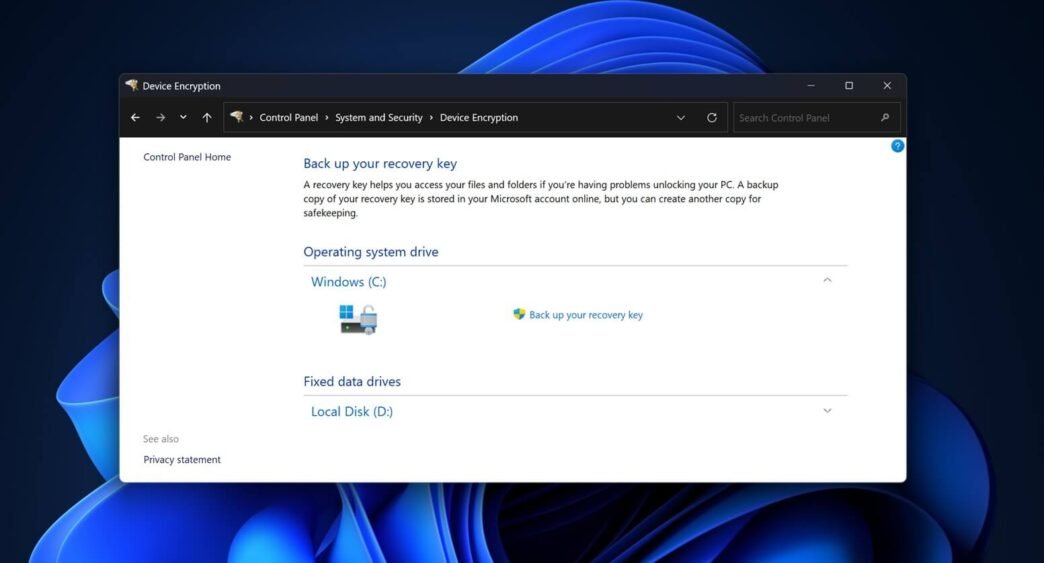
A bug in Windows 11 24H2 and older versions of the operating system cause BitLocker settings to stop working due to the error “For your security, some settings are managed by your administrator.” As a result, you will not be able to change BitLocker settings unless and until Microsoft fixes the error.
If you use Windows 11 on a supported device, it's very likely that you're also using BitLocker, which encrypts your local hard drive. Most modern computers are encrypted by default, but you can always manage BitLocker encryption from the control panel or settings. However, a bug prevents some of you from changing the settings.
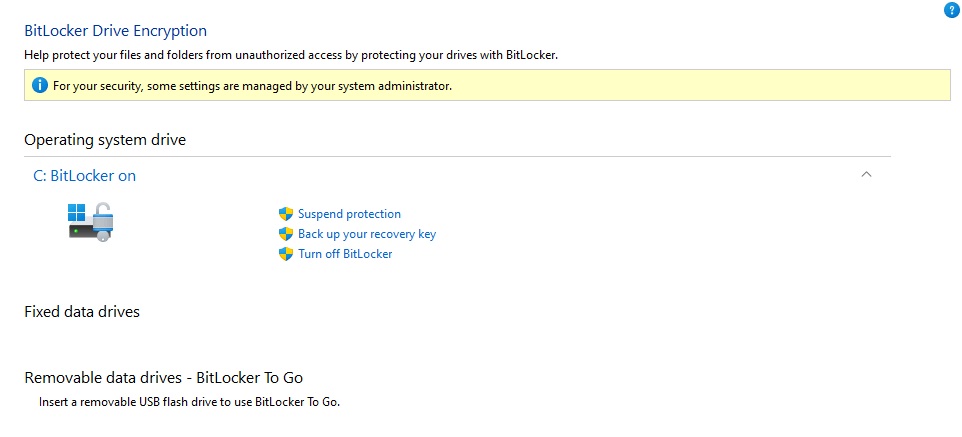
As you can see in the screenshot above, you may encounter “For your security, some settings are managed by your administrator.” This error can either appear in Windows Settings or Control panel > Systems and security > Device encryption and in some other places too.



This page looks like the screenshot below when it is not revealed:

As confirmed by Microsoft in a support document This issue affects unmanaged computers or those using the Trusted Platform Module (TPM). In other words, the number of affected users is likely to be significant because the bug affects consumer computers, and most modern computers now have TPMs.
For the unaware, “For your security Some settings are managed by your administrator” is an error that appears when your Windows 11 installation is managed by an organization, such as your employer.
This should not be displayed when it is a Windows installation manager by a regular user.
Microsoft has refused to offer a solution and promised to deliver a patch in a future Windows release.
Until Microsoft fixes the BitLocker bug, you won't be able to decrypt your drive and manage other settings. This is because the page is now locked due to the bug.
“We are working on a solution and will provide more information when it is available,” noted Microsoft in a support document discovered by Windows Latest.
This isn't the only issue affecting Windows 11 at the moment.
In recent months, especially after the launch of Windows 11 24H2 In October, we've flagged a number of bugs. For example, Windows Latest recently reported that Path of Exile 2 is in shambles after the Windows 11 24H2 update, with it frequently crashing and refusing to launch for many players.
Then We also discovered an issue where the mouse pointer disappears when working with text fields in Chromium. Other bugs include broken clipboard history , poor performance and more.
Microsoft is still trying to fix as many as 15 known issues in Windows 11 24H2, and we don't know when they will be fixed. New problems are popping up all the time.











 Swedish
 Danish
 Norwegian
 Finnish
 English
 German
 Dutch
Dutch